
Patch Doctor
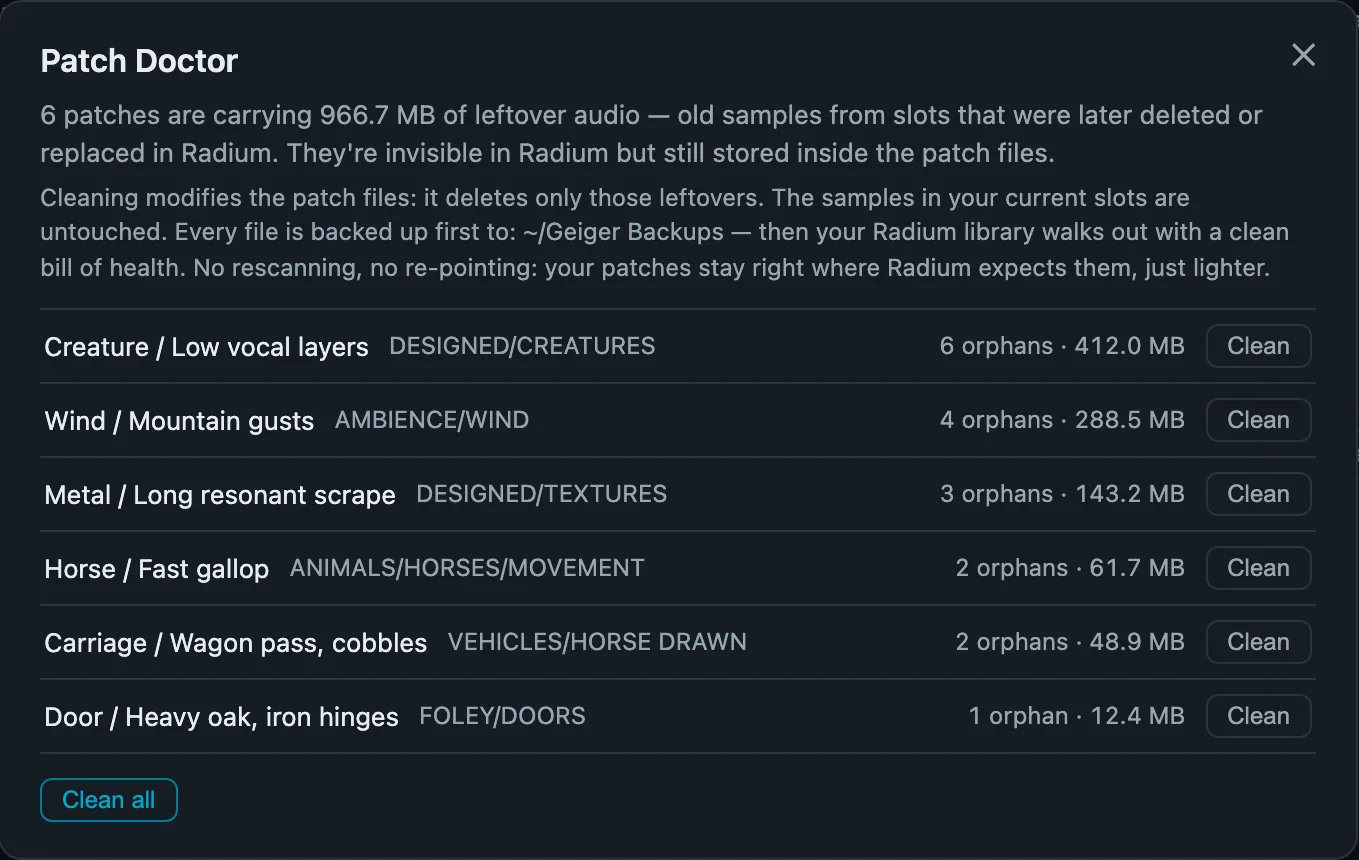
Patches can carry leftover audio from slots you deleted or replaced long ago. Patch Doctor finds it and clears it out, without touching the samples you use.
BackupCleanVerifyRestore anytime
Find patches by the samples, keywords, and notes inside them. Preview embedded samples, then load the patch into Radium.
Full app. No credit card or account. Apple Silicon · macOS 14+
Geiger is a search engine built for Radium. Find any preset by what’s inside it, audition its slots and samples, then send it straight to Standalone or AAX.
Preview the embedded samples. Load into Radium to hear the complete patch.
Find the sound you remember by sample names, keywords, or notes.
Preview embedded samples, slot by slot, before opening a patch.
One click into Standalone. Drag into AAX in Pro Tools.
No subscription, no iLok, no account. Try the full app for seven days first, no card required.
Searching and previewing never change your patches. Questions? Email me.
On sale through December 4, 2026. $149 after.
Requires an Apple Silicon Mac, macOS 14+, and Soundminer V6 or V7 with Radium. The AAX workflow also needs Pro Tools and Radium AAX.
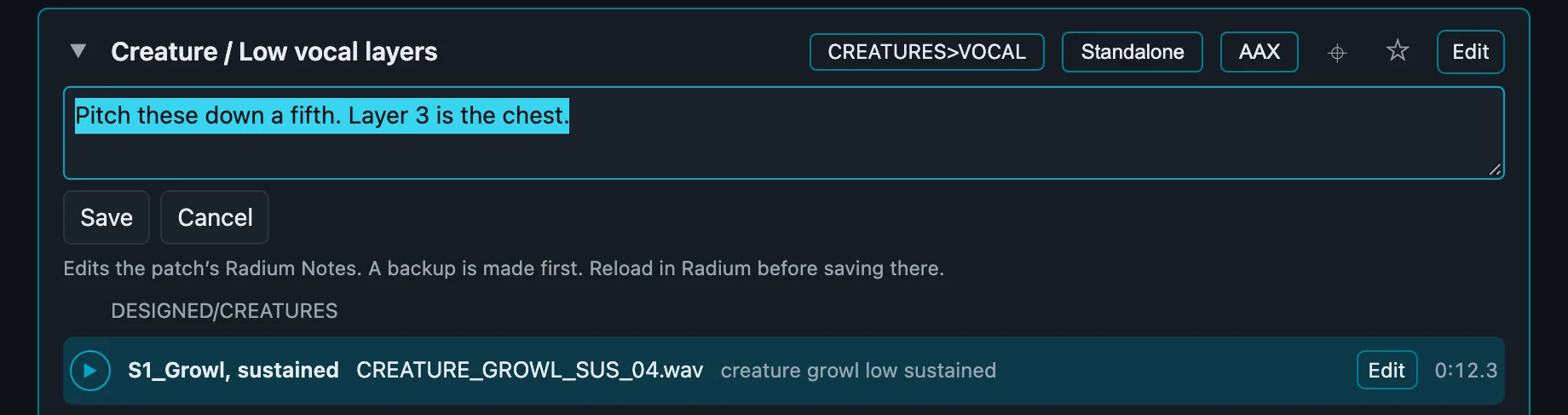
Rename patches and slots, edit Radium notes, set categories, and star favorites, right where you found them. Every edit is backed up first.
Patches can carry leftover audio from slots you deleted or replaced long ago. Patch Doctor finds it and clears it out, without touching the samples you use.
Playing Radium AAX in Pro Tools while the standalone is open? Geiger Gate switches off standalone MIDI input, so only the instrument you mean to play answers.
One-time setup.
Angelo PalazzoSound Design CollectiveI love building patches in Radium. Remembering what each patch contained was the hard part.
So I made Geiger to help me find those sounds and get back to the fun part.
An Apple Silicon Mac, macOS 14+, and Soundminer V6 or V7 with Radium. The AAX workflow also needs Pro Tools and Radium AAX.
No. Search and preview leave patches unchanged. Content edits and cleanup make verified backups. Saving a patch already open in Radium can overwrite external edits.
No. Preview uses embedded audio. Your Radium patch files must be available.
Geiger previews the embedded samples without Radium’s processing. Load the patch into Radium to hear the complete instrument.
When your trial key is issued. All features are included for seven days. No credit card required.
No. Geiger is a one-time purchase. Your library, index, and settings remain when you activate a purchased key.
The full app, free for seven days.
No credit card required. One-time purchase. $129 through December 4, 2026.